
AI Clothing Changer
Upload one photo, pick an outfit and a color, and the AI clothing changer dresses you in it. Your first image is free, no sign-up, no card.
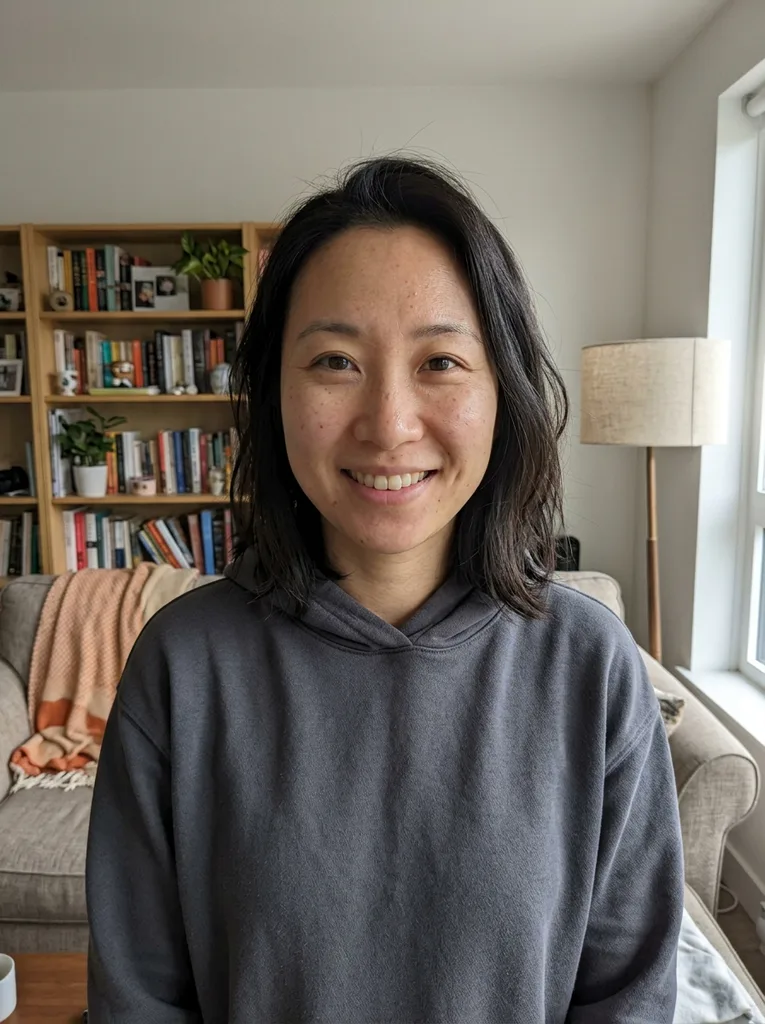 Before
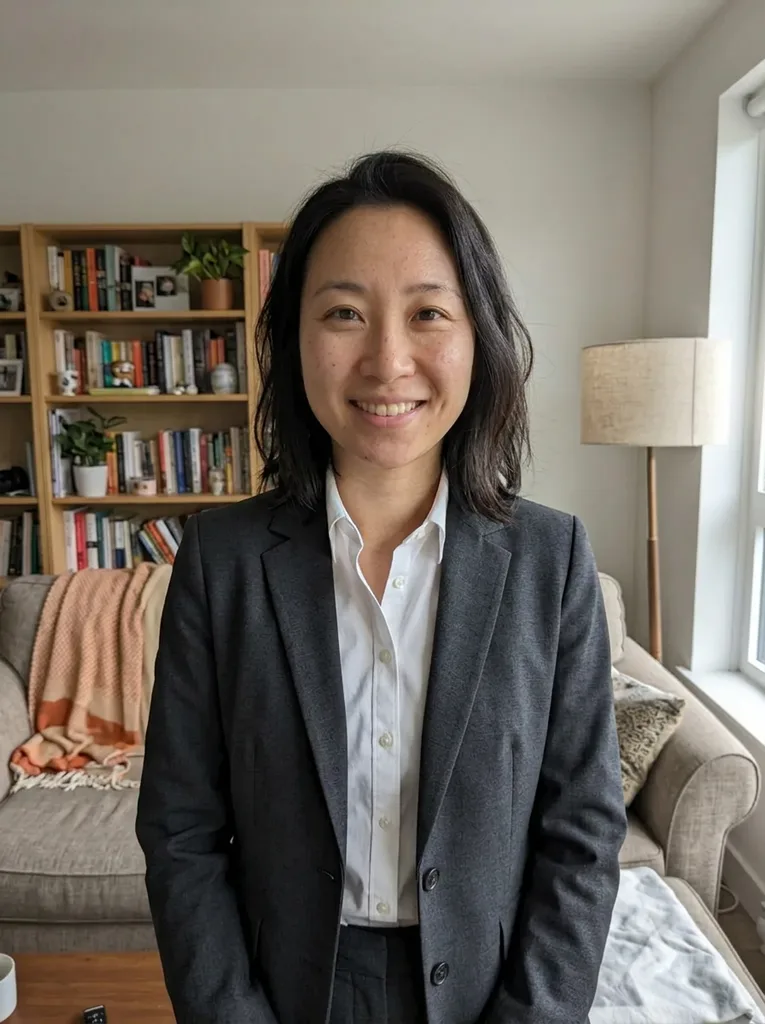 After
Example result. Upload your photo to make yours.
Examples
BeforeAfterAn AI Clothes Changer That Only Dresses People
One photo in, you in a new outfit out, with the clothes as the only thing the model is asked to change.
This AI clothing changer takes one photo of a person and puts them in a different outfit. You pick the outfit from nine presets: Suit, Dress, Casual, Streetwear, Vintage, Kimono, Doctor, Sporty and Winter Coat. Then you pick a color: Auto, which chooses colors that suit the outfit, or Black, White, Navy, Red, Beige, Green, Pink or Grey. An optional box of up to 300 characters adds a detail, such as a red tie or a plaid pattern.
The AI clothing changer only ever dresses people, fully clothed. It never takes clothes off, and it doesn't make swimwear, lingerie, underwear or see-through outfits, even when you ask in the text box.
For narrower jobs the site has separate tools: a try-on from a photo of a garment, formal attire, a wedding dress and veil, a new color for the clothes you already wear, glasses, and outfit ideas.
Made for
- Trying a new look on yourself
- A suit or dress for a profile photo
- Costume and uniform ideas
- Trying a color on yourself
- Restyling an old photo
How to Change Clothes With AI in Three Steps
- 1
Upload one photo of one person
Click or drop a JPEG, PNG or WebP up to 10 MB; a HEIC photo from a phone is converted in your browser first. Use one person facing the camera, from the waist up or full body, in good light with nothing covering the clothes.
- 2
Pick an outfit and a color
Suit and Auto are selected to start; tap another outfit or color to switch. Type a detail in the optional box if you want one, and it is added to your request.
- 3
Generate, compare and download
After a short wait the AI clothing changer shows the result next to your photo as a 3:4 portrait. Compare the two, then use Download, because the site keeps no history of your results.
Why Use This Clothes Changer AI
A clear menu, not a blank prompt
Nine outfits and nine color options cover office wear, occasion wear, a traditional kimono, a doctor's lab coat and cold weather. You see every choice as a button before you start.
Your own detail on top
The optional description lets you ask for a pattern, a tie or a fabric. It is trimmed to 300 characters and can change a default, such as the color the preset would pick.
Told to keep you as you are
Every run tells the model to keep your face, expression, skin tone, hairstyle, body shape, pose and background. In our test it did, and the frame came out a little wider to show more of the new outfit.
Fully clothed, every time it runs
The model is told to make modest, fully clothed wear with realistic folds and texture. Typed requests for swimwear, lingerie or see-through clothes are refused before anything is generated.
No account to open
There is no sign-up, no login and no plan to buy on this AI clothing changer. You upload, choose and download.
Free Use, Your Photo and the Content Limits
One free image, for the whole site
Each visitor gets one free image with no sign-up and no card. It is one image across every tool on the site, not one per page or per outfit, and there is no paid plan or credit pack to buy after it.
What happens to your photo
Your photo is only used to create your images and is never used to train AI models. Uploaded photos are stored only to run the service and are deleted on request, as the privacy policy says. The generated image is kept for a limited time so you can download it, then deleted.
What the tool refuses
Requests to undress, nudity, underwear, lingerie, swimwear such as a bikini or swim trunks, see-through or sexual content are refused, and nude is refused even as a color, so write beige. The site is for adults, and photos of anyone under 18 must not be uploaded.
AI output to check
The result is an AI image, so compare it with your original before you use it. The AI clothing changer doesn't know your measurements, gives no size or fit advice and links to no shop.